Basic srsRAN Experiment in Sandbox using USRPs
Platform: srsRAN and Universal Software Radio Peripherals
Resources used: USRP B210 (BS and UE), NUC13 Pro computer, Panaroma Antennas, USB 3.0 cables
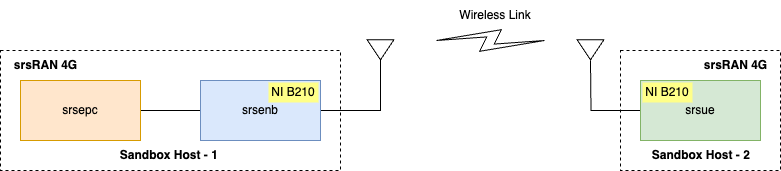
Description: This experiment features a 4G network deployment
using containerized instances of the major components of srsRAN, i.e.,
a containerized evolved packet core (srsepc), containerized eNB
(srsenb), and a containerized UE (srsue), deployed on Intel
x86 servers. The following figure shows the 5G network created from
the experiment.
Note
srsRAN currently supports only 15kHz sub-carrier spacing on srsue. Therefore, any experiment using SDR-based srsue is limited to 4G Frequency Division Duplex (FDD).
Detailed Steps for the Experiment
Login to ARA portal with your credentials.
Create two reservations using the Project -> Reservations -> Leases tab from the dashboard.
eNB
Site: Sandbox
Resource Type: AraRAN
Device Type: Host
Device ID: 005
UE
Site: Sandbox
Resource Type: AraRAN
Device Type: Host
Device ID: 001
Create the following two containers on the respective nodes. For the containers, the Docker images can be used as follows:
eNB
Container Image:
arawirelesshub/srsran:srsenbCPU: 6
Memory: 8192
Network: ARA_Shared_Net
UE
Container Image:
arawirelesshub/srsran:srsue_4gCPU: 6
Memory: 8192
Network: ARA_Shared_Net
The containers can be accessed via the console tab of the respective containers in the Project -> Containers menu from the dashboard, or via SSH through the jumpbox server using the floating IP. For this experiment, we recommend to use the jumpbox approach since we need multiple terminal access to the same container. Visit ARA Jumpbox for more information on accessing containers via jumpbox.
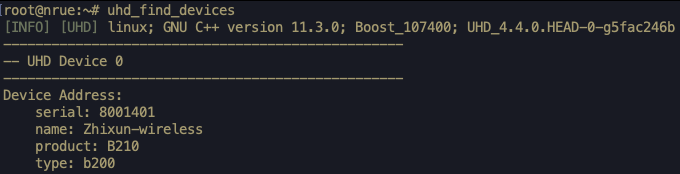
In both containers, run the following command to check the radios connected to the host. In case the command cannot find SDR, refer the instructions in FAQ.
# uhd_find_devicesThe output of the above command should look like the following image.
Open three different terminals for the base station. The first one to run the evolved packet core (EPC), the second is to run the eNB instance, and the third to perform the delay (ping) and throughput experiments (iperf).
For the UE, open two separate terminals. The first one is to run the UE instance and the other for delay (ping) and throughput experiments (iperf).
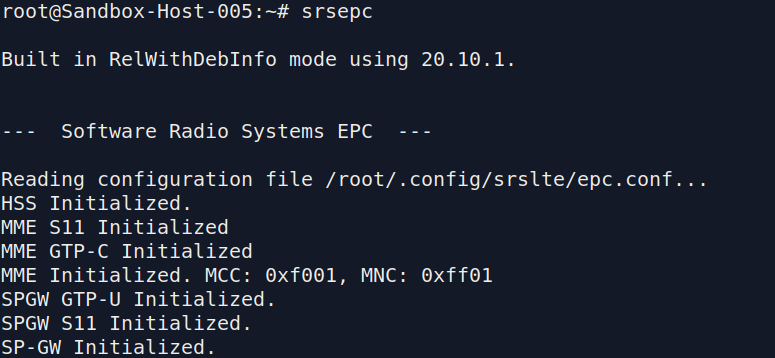
In the first terminal of the base station, run the following command to start the EPC.
# srsepcThe command generates the output as below.
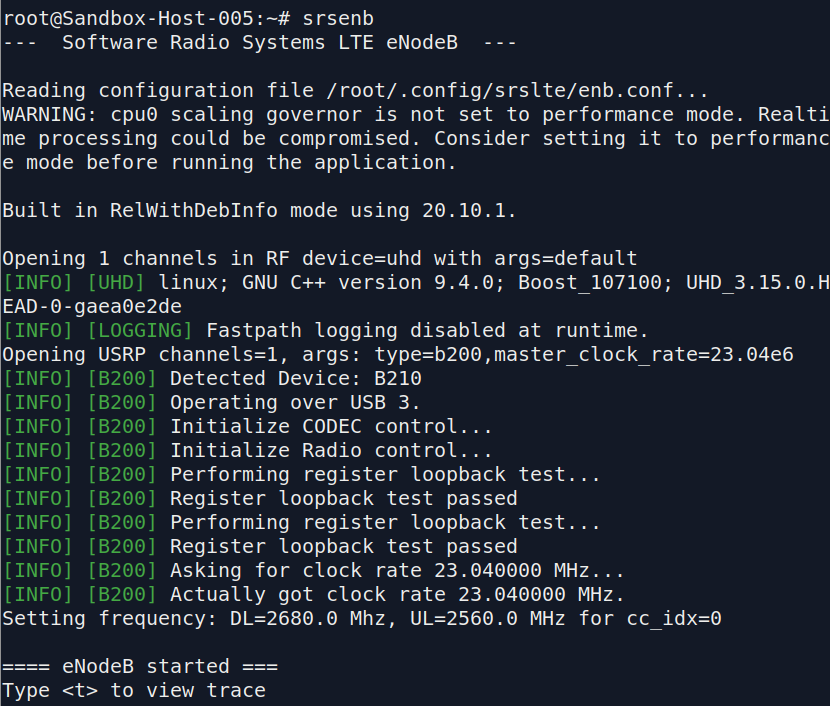
In the second terminal of the base station, run the following command to start eNB.
# srsenbThe output of the above command will be as shown in the following figure.
In the first terminal of the user equipment, run the UE using the following command.
# srsueThe command
srsuegenerates the output as provided below.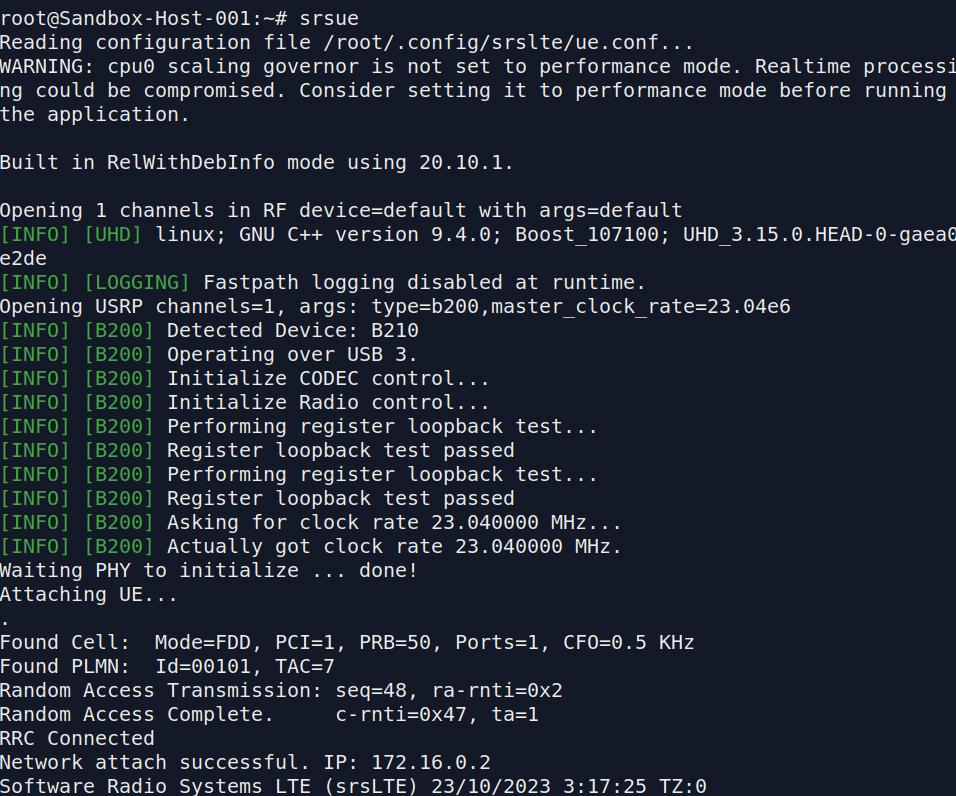
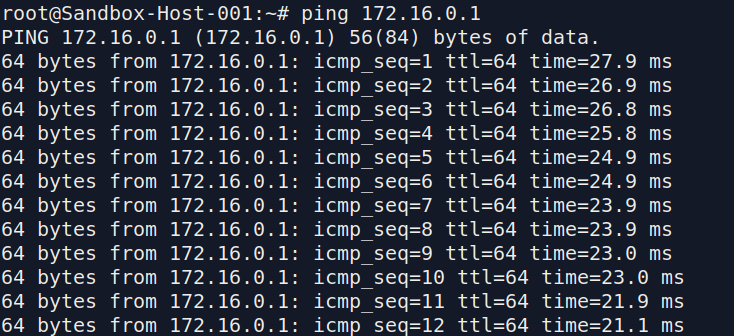
Ping test to the Core Network: On the second UE terminal, run the following command to ping the EPC.
# ping 172.16.0.1An example output of the ping command is shown below.
Console Traces
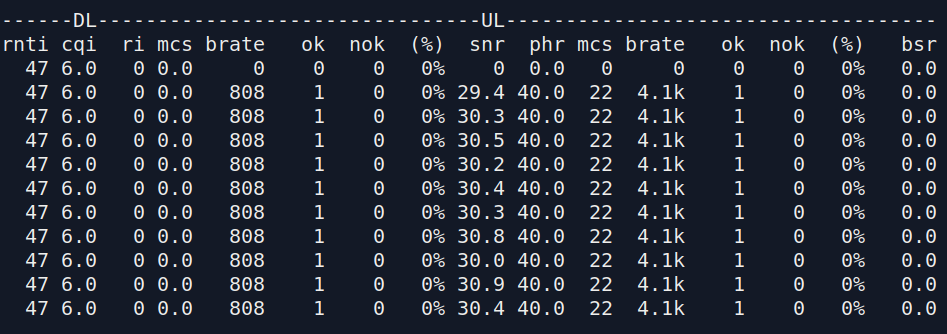
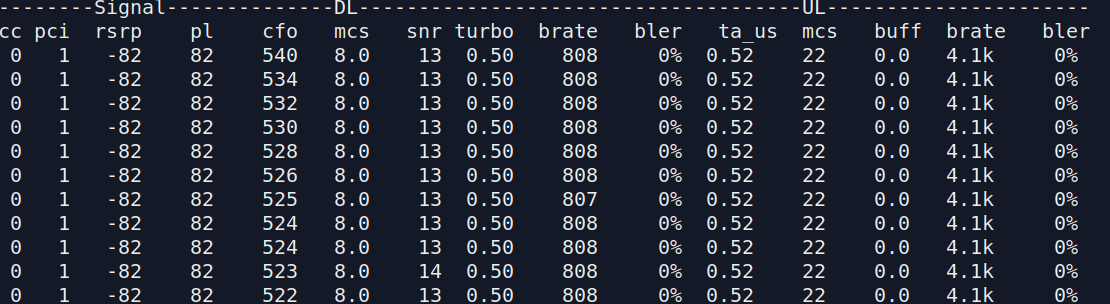
On establishing a successful connection, press t followed by ENTER on the
srsenbandsrsueterminals to observe the link metrics as seen below.eNB Console Trace
UE Console Trace
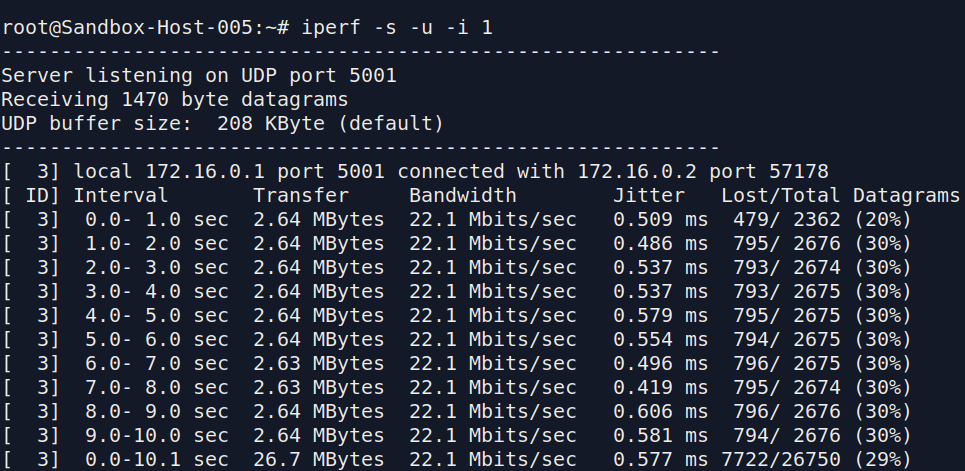
End-to-end throughput test: For measuring the end-to-end throughput (from UE to the EPC), we run the iperf server at the EPC and iperf client at the UE.
For the iperf server, execute the following command in the third terminal of the base station.
# iperf -s -u -i 1On the second UE terminal, where you run the ping earlier, run the iperf client using the following command to perform the throughput test for 10 seconds.
# iperf -c 172.16.0.1 -u -i 1 -b 25M -t 10The sample output of the iperf server is shown below.
You can observe the brate section for both the console traces of the
srsenbandsrsueshowing the actual throughput measured on the link.The console traces for the
srsenbstart as shown in the figure below.