Field-Deployed OAI 5G RAN with Integrated E2 Agent and nearRT-RIC using O-RAN Compliant FlexRIC
Platform: OpenAirInterface5g, FlexRIC, and Universal Software Radio Peripherals.
Resources used: USRP N320 and Dell R750 server as gNB, USRP B210 and Supermicro server as nrUE, CommScope SS-65M-R2 antenna, Laird OC69421 UE Antenna, Power Amplifiers, and Low Noise Amplifiers.
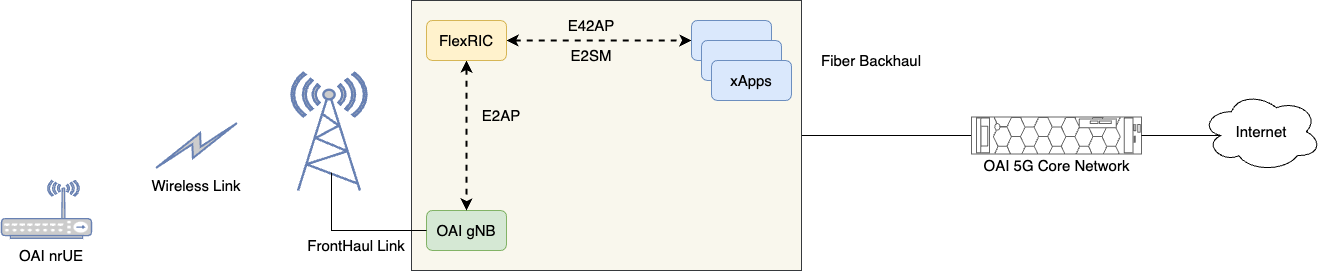
Description: This experiment features a 5G NR Radio Access Network (RAN) deployment using containerized instances of OAI 5G softmodems with O-RAN support. The experiment describes the steps of deployment OAI 5G RAN with integrated E2 agent and a nearRT-RIC using O-RAN compliant FlexRIC. The figure below shows the network diagram of the experiment.
Detailed Steps for the Experiment
Login to ARA portal with your credentials.
Create two reservations using the Project -> Reservations -> Leases tab from the dashboard.
gNB
Site: Curtiss Farm
Resource Type: AraRAN
Device Type: Base Station
Device ID: 000
UE
Site: Curtiss Farm
Resource Type: AraRAN
Device Type: User Equipment
Device ID: 001
Create the following two containers on the respective nodes using the corresponding reservation IDs. For the containers, use the following setting:
gNB
Container Image:
arawirelesshub/openairinterface5g:gnb_flexRICCPU: 8
Memory: 8192
Network: ARA_Shared_Net
nrUE
Container Image:
arawirelesshub/openairinterface5g:nrue_flexRICCPU: 8
Memory: 8192
Network: ARA_Shared_Net
Once the container is launched, take a note on the floating IP if you want to access the container from your PC via ARA jumpbox. The containers can be accessed via the console tab of the respective containers in the Project -> Containers tab from the dashboard or using SSH via the ARA jumpbox server. Visit ARA Jumpbox for more information on accessing containers via jumpbox.
In both containers, run the following command to check the radios connected to the host.
# uhd_find_devicesThe output of the above command should look like the following image, showing three SDR devices detected. For this experiment, you should use the SDR with IP address
192.168.20.2, as this is the sector pointing towardCurtissFarm-UE-001. The gNB configuration has already been revised to use this SDR.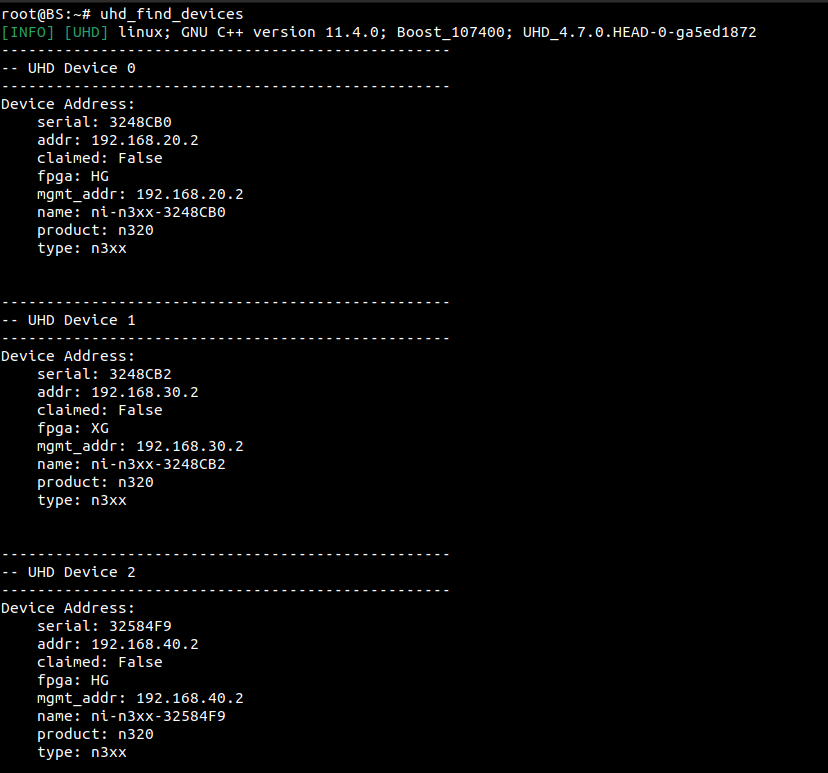
#. To connect the gNB to the core network, you need to attach the gNB
to the AMF of the core network. First, note down the IP address of the
interface eth0 of the gNB container by executing the following command
in the terminal.
# ifconfig eth0
For this experiment, we assume that the IP address of eth0 on the gNB is 10.0.4.106.
Open the gNB configuration file with the following command.
# nano ~/openairinterface5g/targets/PROJECTS/GENERIC-NR-5GC/CONF/gnb.sa.band78.fr1.106PRB.usrpb210.confMake the necessary changes as shown in the figure below:
Edit the lines with the IP address you obtained in the previous step. Use the /24
subnet mask, i.e., 10.0.4.106/24.

Once the modification is complete, save and exit the nano editor.
Add a route to the core network from the gNB container with the following command.
# ip route add 192.168.70.128/26 via 10.0.4.4 dev eth0(If you are using your own core network, replace
10.0.4.4with the IP address of your core network node.)Note
For detailed instructions on how to create your own core network, see the Outdoor Over-The-Air (OTA) OpenAirInterface 5G SA Experiment.
To test the reachability of the 5G Core from the gNB container, run a ping toward the AMF of the core network.
# ping 192.168.70.132Running the gNodeB: In one terminal of the gNB container created, run the OAI gNB using the following commands. In case of any error, refer our FAQ.
# cd ~/openairinterface5g/cmake_targets/ran_build/build/
# ./nr-softmodem -O ../../../targets/PROJECTS/GENERIC-NR-5GC/CONF/gnb.sa.band78.fr1.106PRB.usrpb210.conf --gNBs.[0].min_rxtxtime 6 --usrp-tx-thread-config 1 --RUs.[0].att_tx 0 --RUs.[0].att_rx 27
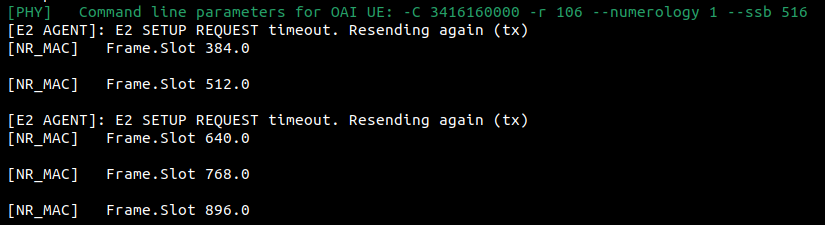
After starting, the gNB will wait for a connection from the nearRT-RIC. The console output at this stage is shown below:
Starting nrUE: In the UE container, run the OAI nrUE using the following commands.
# cd ~/openairinterface5g/cmake_targets/ran_build/build
# ./nr-uesoftmodem -O ../../../targets/PROJECTS/GENERIC-NR-5GC/CONF/ue.conf -r 106 --numerology 1 --band 78 -C 3416160000 --ue-fo-compensation -E --ue-txgain 0
In case of error or UE not connecting to gNB, refer FAQ.
Starting nearRT-RIC: In a second terminal of the gNB container, start the nearRT-RIC using the following commands.
# cd ~/openairinterface5g/openair2/E2AP/flexric
# ./build/examples/ric/nearRT-RIC
The console trace when the
flexRICstarts is shown below: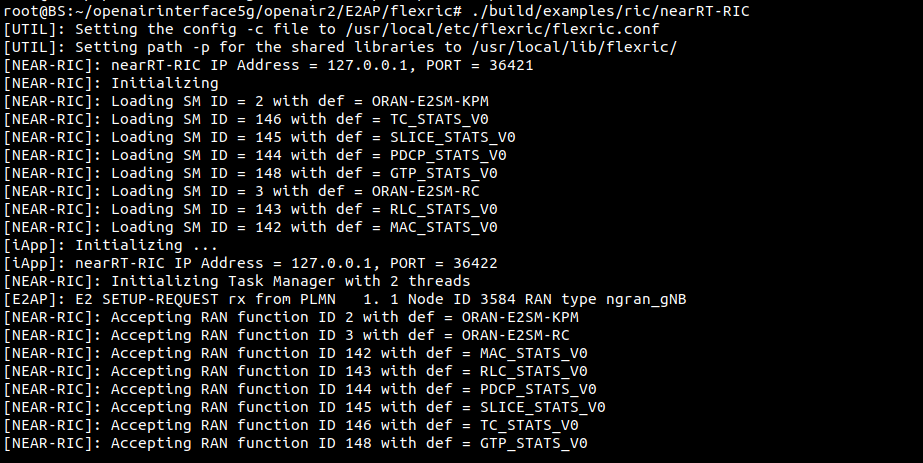
Starting KPM monitor xApp: In a third terminal of the gNB container, start the KPM monitor xApp using the following commands.
# cd ~/openairinterface5g/openair2/E2AP/flexric
# ./build/examples/xApp/c/monitor/xapp_kpm_moni
The console trace when the
KPM monitor xAppstarts is shown below.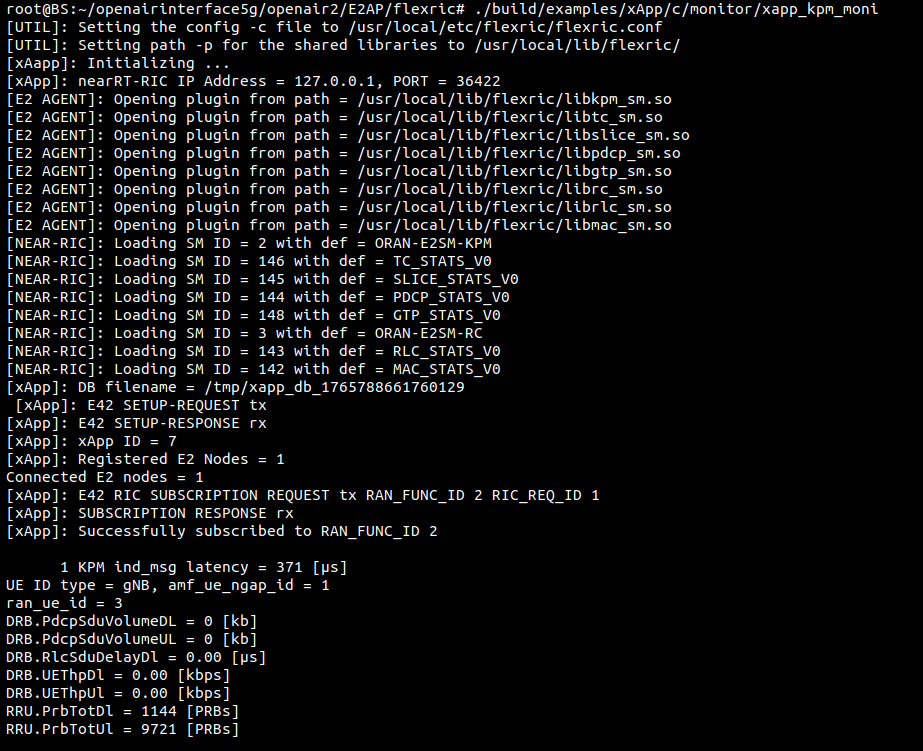
Starting slice_moni_ctrl xApp: In a fourth terminal of the gNB container, start the slice monitor xApp using the following commands.
# cd ~/openairinterface5g/openair2/E2AP/flexric
  # ./build/examples/xApp/c/slice/xapp_slice_moni_ctrl
The console trace when the
slice_moni_ctrl xAppstarts is shown below.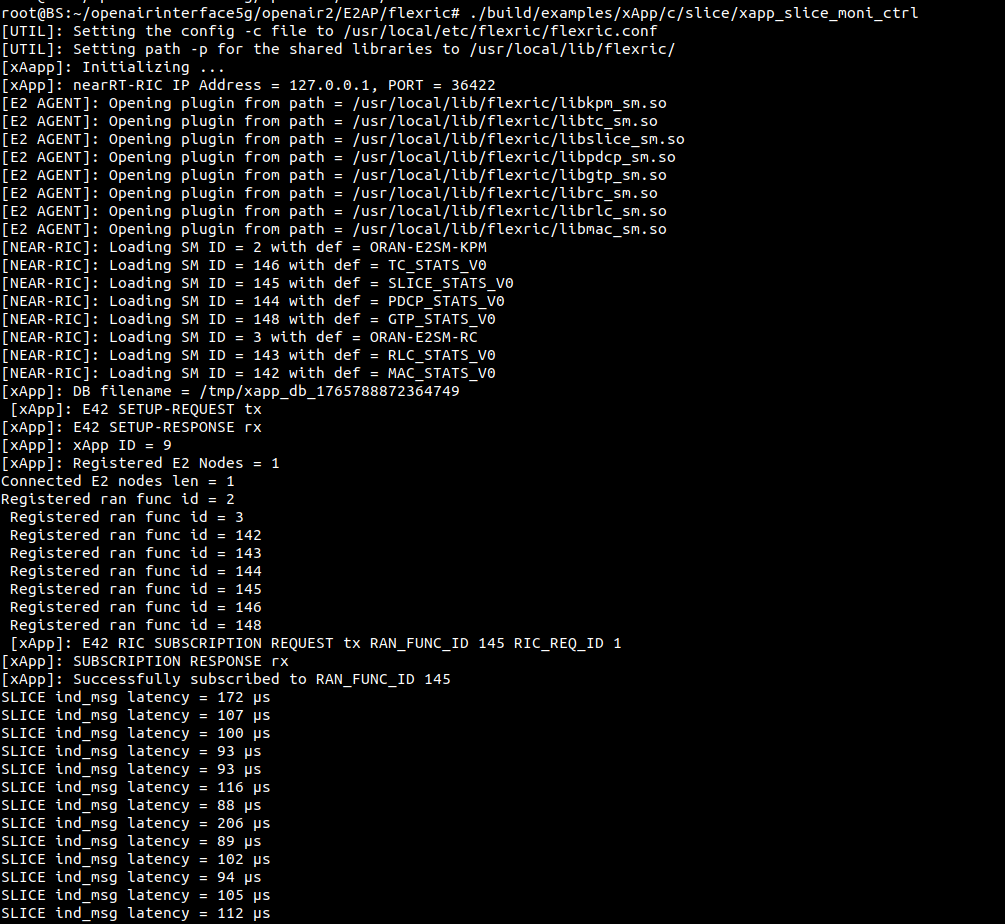
Starting (MAC + RLC + PDCP) monitor xApp: In a fifth terminal of the gNB container, start the (GTP + MAC + RLC + PDCP) monitor xApp using the following commands.
# cd ~/openairinterface5g/openair2/E2AP/flexric
# ./build/examples/xApp/c/monitor/xapp_gtp_mac_rlc_pdcp_moni
The console trace when the
GTP_MAC_RLC_PDCP monitor xAppstarts is shown below.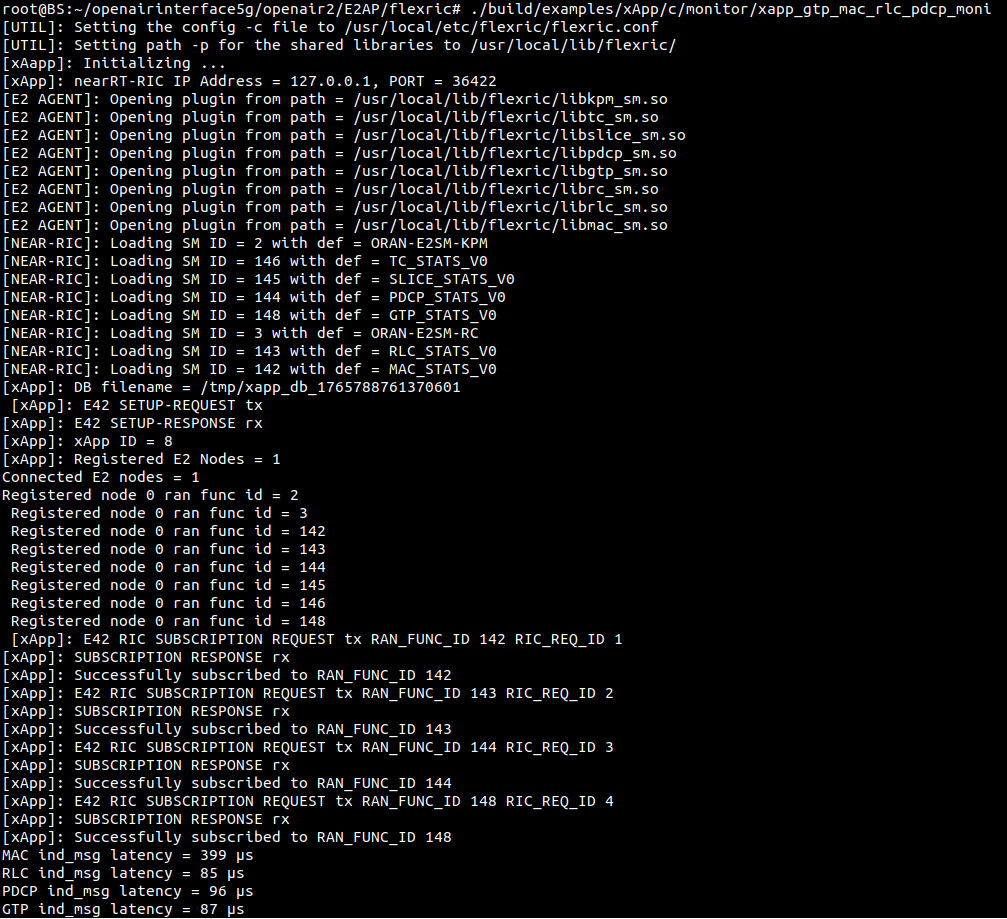
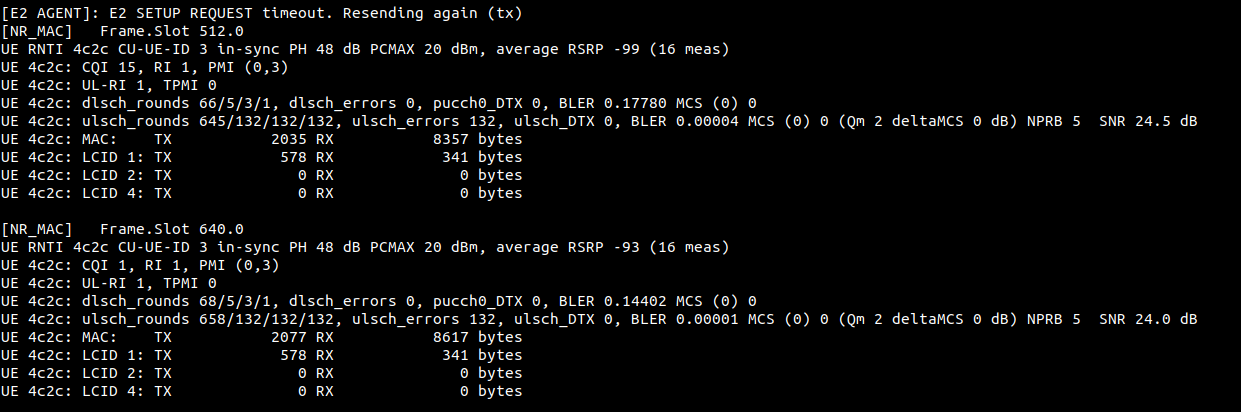
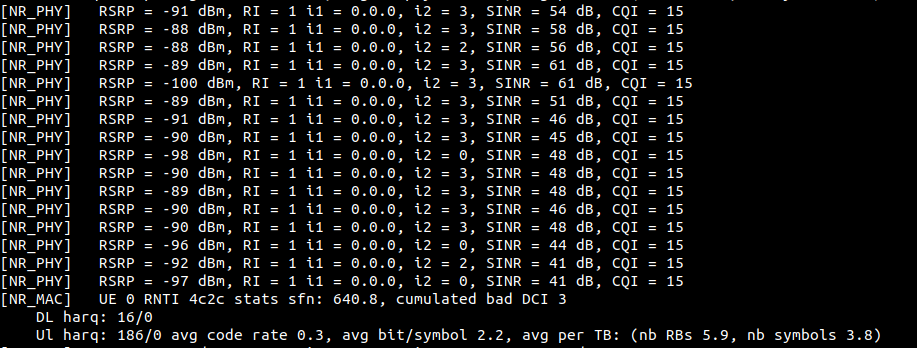
Console traces for gNB and nrUE on different events.
gNB when flexRIC starts
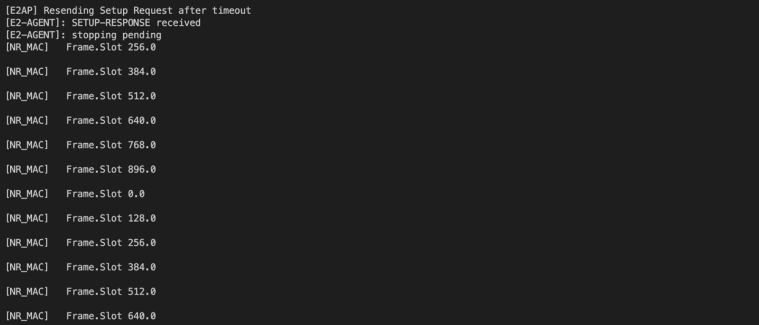
gNB when connection with nrUE is established
nrUE when connection with gNB is established
Tip
If you want to perform weather measurements along with the RAN experiments, refer to ARA Weather APIs.